New
pl = Graphics.New(Options) returns an empty Graphics object, a page without anything on it. Lines, curves, arcs, texts, bitmaps and other Graphics objects are put on it with Graphics.Add(). pl = Graphics.New(Table) makes a Graphics object from a table in the form returned by Graphics.ToTable().
Input
-
Options : (optional) A table of options. Possible options are:
-
“Canvas.Size.X”, “Canvas.Size.Y” : Reals, the width and the height of the page in mm. Default values 297.3 and 210.2 (A4 in landscape)
-
“Canvas.Origin.X”, “Canvas.Origin.Y” : Reals, the position of the lower left corner of the page in mm. It matters when the object is added to another Graphics object as a layer: it is then the position on that page. Default values 0 and 0
Table : instead of the options, a table in the form returned by Graphics.ToTable. Every field is optional; a field that is left out takes its default value, so a table written by hand needs only the fields it sets.Output
-
pl : a Graphics object.
The size and the position can be changed afterwards with pl.SizeX, pl.SizeY, pl.OriginX and pl.OriginY; the layers on the page are then moved and stretched with it. Everything on the page is given as a fraction of its width and height, so a page of another size gives the same drawing, larger or smaller.
Example
An A4 page, a page of 100 mm by 60 mm, and the same page made from a table with a filled triangle and a text on it.
Input
- Example.Quanty
-- an empty page, A4 in landscape
pl = Graphics.New()
print(string.format("pl:  %.1f mm by %.1f mm, lower left corner at (%.0f mm, %.0f mm)", pl.SizeX, pl.SizeY, pl.OriginX, pl.OriginY))

-- an empty page of 100 mm by 60 mm
pl2 = Graphics.New({{"Canvas.Size.X",100}, {"Canvas.Size.Y",60}})
print(string.format("pl2: %.1f mm by %.1f mm", pl2.SizeX, pl2.SizeY))

-- a page made from a table in the form of Graphics.ToTable: a filled triangle and a text below it
pl3 = Graphics.New({CanvasSize = {100, 60},
                    Line = { {Point = { {0.1,0.2}, {0.9,0.2}, {0.5,0.9} }, CloseAndFill = true, FillColor = 0x80FF0000} },
                    Text = { {String = "a triangle", Point = {0.5,0.05}, Alignment = "c", Size = 0.1} }})
print(string.format("pl3: %.1f mm by %.1f mm, %d line and %d text", pl3.SizeX, pl3.SizeY, pl3.NLine, pl3.NText))

file = io.open("Triangle.svg", "w")
file:write(Graphics.ToSVG(pl3, {{"RelativeSize",true}}))
file:close()
Result
pl:  297.3 mm by 210.2 mm, lower left corner at (0 mm, 0 mm)
pl2: 100.0 mm by 60.0 mm
pl3: 100.0 mm by 60.0 mm, 1 line and 1 text
The script writes Triangle.svg, the page pl3.
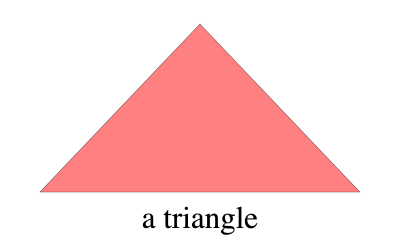
Table of contents
-